


CPS test tools are online utilities that measure how quickly you can click a mouse during a fixed period. CPS stands for Clicks Per Second, and a CPS test converts your total clicks into a speed measurement.
These tools are commonly used by gamers, especially people interested in mouse clicking speed, Minecraft PvP, clicking techniques, and mouse performance. They can also be useful for checking whether a mouse is registering repeated clicks consistently.
But not every CPS test tool works in exactly the same way.
Some offer only a simple 5-second test, while others provide multiple durations, score tracking, clicking-technique tests, mouse diagnostics, and additional statistics.
This guide explains what CPS test tools do, which features matter, how CPS is calculated, and how to choose a useful testing tool.
What Are CPS Test Tools?
A CPS test tool is an online application that measures mouse clicking speed.
The basic process is simple:
Click repeatedly → count the clicks → measure the time → calculate CPS
The standard calculation is:
CPS = Total Clicks ÷ Test Duration
For example, if a tool records 45 clicks during a 5-second test:
45 ÷ 5 = 9 CPS
The result means the test recorded an average of nine clicks per second.
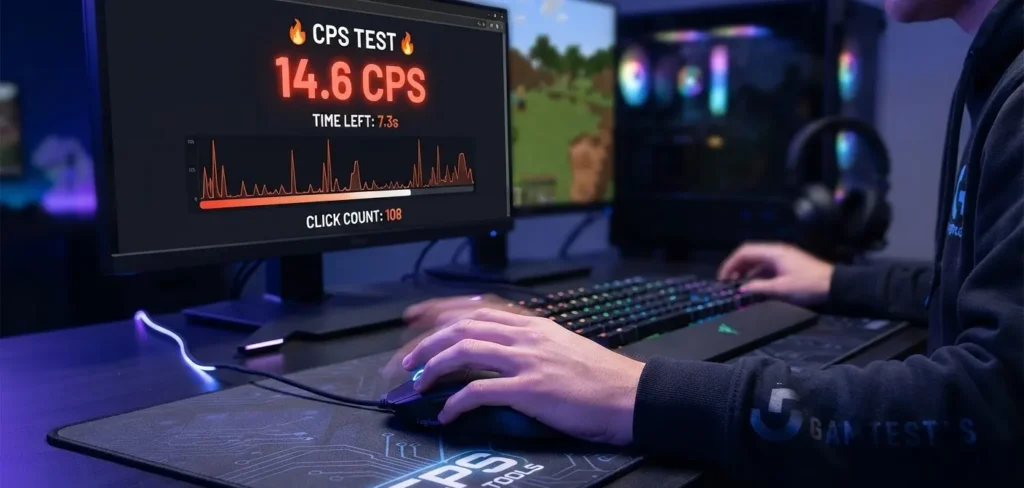
CPS tools may also display additional information such as total clicks, elapsed time, highest CPS, average CPS, or personal best scores.
What Can You Use a CPS Test Tool For?
A CPS testing tool can serve several purposes.
Measure Clicking Speed
The most obvious use is measuring how quickly you can repeatedly click.
Compare Results
You can run the same test multiple times and compare your results.
Test Different Mice
If you have more than one mouse, you can perform the same test with each device.
Practice Gaming Clicking
Some gamers use CPS tests to practice clicking speed before playing games.
Check Mouse Input
A CPS test can also provide a basic indication of whether repeated mouse input is being registered.
It is important to remember that an online CPS test is not a complete hardware diagnostic tool. A dedicated mouse-testing utility may be more appropriate when investigating specific switch or button problems.
How Does a CPS Test Tool Work?
A browser-based CPS tool generally listens for mouse input events while a timer is running.
When you click inside the test area, the tool records the input and updates the click count.
At the end of the test, it calculates the CPS based on the number of registered clicks and test duration.
For example:
60 clicks ÷ 10 seconds = 6 CPS
The implementation can differ between tools. Different websites may use different timing and input-handling approaches, which means two CPS tools may not always produce exactly the same score.
For that reason, use the same tool when tracking your personal progress.
Important Features in CPS Test Tools
If you are comparing CPS test tools, look beyond the basic click counter.
Multiple Test Durations
A useful tool should ideally provide several test durations.
Common options include:
- 1 second
- 5 seconds
- 10 seconds
- 30 seconds
- 60 seconds
A short test is useful for measuring burst speed, while longer tests can provide information about consistency and endurance.
Real-Time CPS
A real-time CPS display allows you to see how your score changes while testing.
Total Click Count
The total number of registered clicks makes it easier to understand how the final CPS result was calculated.
Personal Best
A personal-best feature can make repeated testing more useful because you can immediately see whether you have improved.
Test History
Some tools allow users to compare previous attempts rather than relying on memory.
Mobile Compatibility
If the tool supports touch input, it should clearly distinguish touchscreen results from mouse results rather than treating them as identical.
Clear Results
The final score should be easy to understand without forcing users to interpret complicated statistics.
Which CPS Test Duration Is Best?
There is no single test duration that is best for every purpose.
| Duration | Best Use |
|---|---|
| 1 second | Burst clicking |
| 5 seconds | Quick CPS testing |
| 10 seconds | General comparison |
| 30 seconds | Sustained clicking |
| 60 seconds | Endurance and consistency |
A five-second test can be useful when you want a quick result.
A ten-second test can provide a more stable measurement.
Longer tests are useful when you want to know whether you can maintain your clicking speed rather than produce a very fast short burst.
When comparing two results, always use the same duration.
What Is a Good CPS Score?
CPS scores should be interpreted carefully.
There is no universally accepted official CPS ranking that applies to every test and every person.
A rough practical reference might look like this:
| CPS | General Description |
|---|---|
| Under 5 | Relatively slow |
| 5–7 | Moderate |
| 8–10 | Fast |
| 10–14 | Very fast |
| 15+ | Extremely fast and highly technique-dependent |
These are approximate descriptions, not official standards.
A score can also be affected by the clicking technique being used.
Someone using normal clicking should not necessarily compare their result directly with someone using butterfly or drag clicking.
CPS Test Tools and Clicking Techniques
Modern CPS tools may provide tests for different clicking methods.
Right-Click Performance
Beyond left-click speed, many players also perform a right click cps test to evaluate secondary button responsiveness and practice balanced control across both fingers during fast-paced gameplay.
Normal Clicking
Normal clicking uses one finger and is usually the simplest technique.
Jitter Clicking
Jitter clicking involves rapidly moving the finger or hand while clicking.
It can produce higher speeds for some users but may reduce control or become uncomfortable during extended practice.
Butterfly Clicking
Butterfly clicking involves alternating between two fingers on one mouse button.
The resulting click rate can vary considerably depending on the mouse and its switch behavior.
Drag Clicking
Drag clicking relies on friction and the mouse switch to generate repeated registered inputs.
It can produce very high numbers on compatible hardware, so drag-click results should not be compared directly with ordinary clicking results.
CPS Test Tools for Minecraft
CPS testing is particularly popular among Minecraft players.
Players may use a CPS tool to measure clicking speed before practicing PvP.
However, CPS should not be considered a complete measure of Minecraft performance.
Gameplay can also depend on:
- Aim
- Movement
- Timing
- Positioning
- Game knowledge
- Reaction time
- Connection quality
- Server mechanics
- Game mode
Some servers may also restrict particular clicking methods or automated input, so players should follow the rules of the server or game they are using.
How to Choose a CPS Test Tool
When evaluating a CPS tool, ask a few simple questions.
Does It Have Multiple Durations?
A tool offering multiple test durations gives you more flexibility.
Does It Show Total Clicks?
This makes the result easier to verify.
Does It Explain Its Calculation?
A transparent tool should explain how it calculates CPS.
Does It Work on Desktop?
Since CPS testing usually focuses on mouse input, desktop browser compatibility is important.
Does It Save Personal Results?
A history or personal-best feature can be useful for tracking progress.
Is the Interface Easy to Use?
A CPS test should let you start testing quickly without unnecessary distractions.
Does It Explain Privacy?
If the website stores test results or other information, the tool should clearly explain what happens to that data.
Why Can Different CPS Tools Give Different Results?
You may notice that your CPS score is slightly different from one website to another.
This does not necessarily mean that one tool is broken.
Differences can result from:
- Timing implementation
- Input-event handling
- Test duration
- Browser performance
- Mouse hardware
- Operating system behavior
- Click registration
- Rounding methods
For example, one tool might report 7.8 CPS while another reports 8.0 CPS from a similar attempt.
If you want to measure improvement, choose one tool and use it consistently.
How to Get a More Reliable CPS Result
Follow these steps for better comparisons:
- Use the same mouse.
- Use the same browser.
- Select the same test duration.
- Use the same clicking technique.
- Run multiple attempts.
- Compare your average or typical result rather than one unusually high score.
- Take breaks between repeated tests.
Consistency is more useful than chasing a single record.
Can CPS Test Tools Detect Mouse Problems?
A CPS test can sometimes reveal inconsistent clicking behavior, but it should not be treated as a complete mouse diagnostic.
For example, if your mouse regularly fails to register clicks, your CPS results may fluctuate unexpectedly.
You can investigate further by testing the mouse with:
- Another browser
- Another computer
- A dedicated mouse button tester
- Another mouse for comparison
If only one mouse produces the problem, the hardware may require further investigation.
CPS Test Tool vs Mouse Tester
These tools have related but different purposes.
| Tool | Primary Purpose |
|---|---|
| CPS Test | Measures clicking speed |
| Click Counter | Counts mouse clicks |
| Mouse Tester | Checks button/input behavior |
| Double-Click Test | Detects possible unwanted double clicks |
| Keyboard Test | Checks keyboard keys |
| Reaction Time Test | Measures response time |
A CPS tool is therefore best when your main question is:
How fast can I click?
A mouse tester is more appropriate when your question is:
Is my mouse button registering correctly?
Can CPS Test Tools Be Used on Mobile?
Some websites support touchscreen input, but mobile results should not automatically be compared with mouse-based CPS results.
A touchscreen and a physical mouse generate different types of input.
If you are testing mouse clicking speed, a desktop or laptop with a physical mouse provides a more consistent environment.
Final Thoughts
CPS test tools provide a simple way to measure mouse clicking speed, compare performance, practice clicking techniques, and monitor personal progress.
The most useful CPS tool is not necessarily the one that produces the biggest number. Look for a tool with clear scoring, multiple test durations, transparent calculations, a simple interface, and useful result tracking.
Most importantly, compare your own results under consistent conditions. A CPS score is a measurement of clicking speed, not a complete measure of gaming ability or mouse quality.
Whether you are testing a new mouse, practicing for a game, or simply curious about your clicking speed, a reliable CPS test tool gives you a quick and measurable way to find out.
Frequently Asked Questions About CPS Test Tools
What is a CPS test tool?
A CPS test tool is an online application that measures how many mouse clicks you can register during a specified period and calculates your clicks per second.
What does CPS mean?
CPS means Clicks Per Second.
How do CPS test tools calculate the score?
The basic formula is total registered clicks divided by the duration of the test in seconds.
Which CPS test duration should I use?
Five or ten seconds can be useful for general testing, while longer durations are better for measuring sustained clicking and consistency.
What is a good CPS?
There is no official universal score. Results depend on test duration, clicking technique, mouse hardware, and other factors.
Why do two CPS tools show different results?
Different tools may use different timing and input-handling methods. Small differences between results are therefore possible.
Which clicking technique gives the highest CPS?
Butterfly and drag clicking can produce very high registered click rates on compatible hardware, but results vary significantly.
Are CPS test tools accurate?
They can provide useful measurements for comparing your own clicking performance, but results can vary between tools because of differences in timing, input handling, hardware, and browser conditions.
Can a CPS test damage my mouse?
Normal testing does not ordinarily damage a properly functioning mouse, but repeatedly clicking at high speed can contribute to wear over time. Stop if your hand or fingers become uncomfortable.