

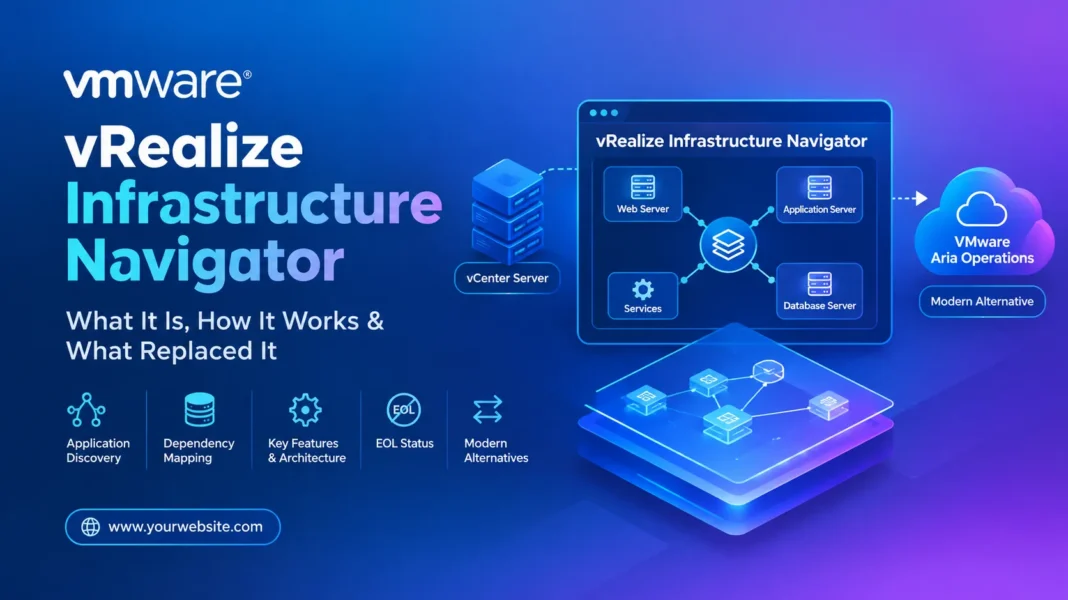

vRealize Infrastructure Navigator (VIN) was a VMware application discovery and dependency-mapping tool designed to help administrators understand how applications, services, and virtual machines were connected inside a vSphere environment.
Unlike basic VM inventory tools, VIN focused on the relationships between workloads. It helped administrators answer questions such as: Which services are running on this VM? Which systems communicate with it? What applications depend on a particular server? And what could be affected before making an infrastructure change?
There is an important distinction for anyone searching for VIN today: vRealize Infrastructure Navigator is a legacy VMware product and is no longer a current supported VMware solution. VMware ended its distribution and support lifecycle in September 2017. Modern VMware environments use newer service-discovery and application-visibility capabilities instead.
This guide explains what vRealize Infrastructure Navigator was, how it worked, why organizations used it, its architecture, limitations, and what VMware administrators should consider instead today.
What Is vRealize Infrastructure Navigator?
vRealize Infrastructure Navigator was VMware’s application-awareness and dependency-mapping solution for virtualized environments.
The product was originally known as vCenter Infrastructure Navigator before becoming part of VMware’s vRealize product family. It integrated with vCenter Server and provided visibility into applications and services running within virtual machines.
The main idea was simple: instead of viewing a VMware environment as a collection of independent VMs, VIN helped administrators understand the relationships between those VMs and the applications running on them.
For example, a typical three-tier application might contain:
- A web server
- An application server
- A database server
- Supporting services
A conventional VM inventory could tell an administrator that all four machines existed. VIN was designed to provide additional context about how those systems communicated and depended on each other.
VMware documentation and historical technical material describe VIN as an extension to vSphere that collected application and service information and used that information to build dependency relationships.
Is vRealize Infrastructure Navigator Still Available?
No. vRealize Infrastructure Navigator is not a current VMware product for new deployments.
VMware ended the product’s End of Distribution and End of Support Life in September 2017. Historical VMware/Broadcom material confirms that VIN existed in the 5.8.x product line, while contemporary documentation records its replacement through VMware’s service-discovery capabilities.
This matters because some search results still describe VIN as though it were a modern VMware product.
If you are researching VIN because you found it in an old VMware environment, an old certification resource, a technical document, or an inherited runbook, that is a legitimate reason to learn about it. However, deploying VIN should not be treated as the recommended approach for a modern VMware environment.
Why Was vRealize Infrastructure Navigator Created?
Large VMware environments can contain hundreds or thousands of virtual machines. Knowing that a VM exists is not the same as knowing what business application depends on it.
That created an operational problem.
Consider a database VM named SQL-PROD-01. An administrator may know that the VM hosts SQL Server, but without application dependency information, it may be difficult to determine:
- Which application servers connect to it
- Which services communicate with those applications
- Which workloads could be affected by maintenance
- Whether the VM is part of a larger application
- What infrastructure should be considered during a migration
VIN addressed this problem by providing application and service dependency visibility.
This made it particularly relevant to virtualization administrators, infrastructure teams, migration projects, disaster-recovery planning, and troubleshooting.
How Did vRealize Infrastructure Navigator Work?
VIN worked closely with VMware vCenter Server and the virtual machines managed by the VMware environment.
At a high level, the discovery process involved collecting information about applications, services, ports, and communication between virtual machines.
Historical VMware technical material describes the architecture as a virtual appliance connected to vCenter Server. Information about applications and services could be collected from VMs using VMware Tools and the VIX API.
The resulting information could then be represented as relationships and dependency maps.
A simplified workflow looked like this:
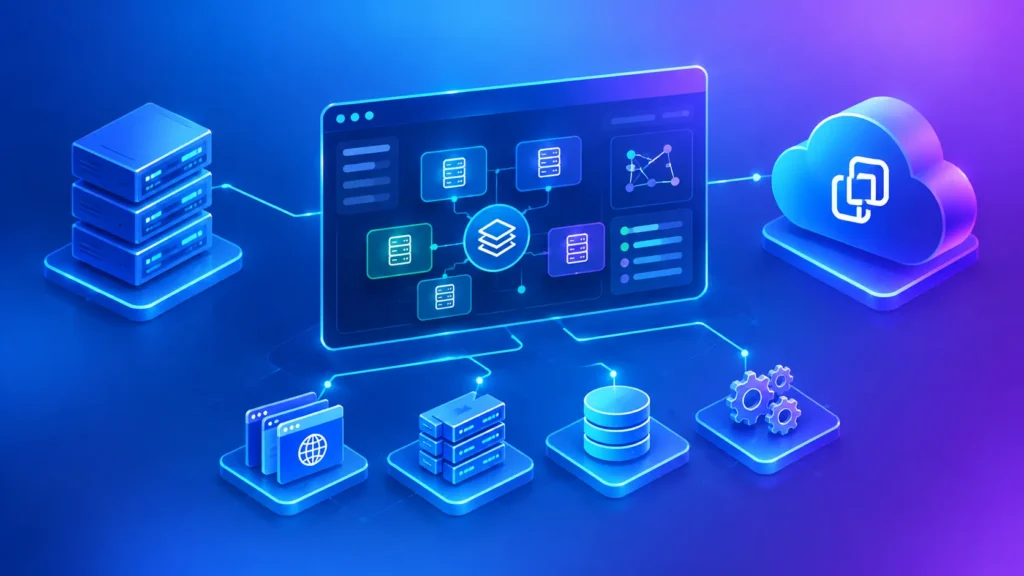
vCenter Server → VIN appliance → VM/application discovery → service and communication information → dependency relationships → visual application map
The benefit was that administrators could move from an infrastructure-centric view toward an application-centric view.
Key Features of vRealize Infrastructure Navigator
Application Discovery
One of VIN’s central capabilities was discovering applications and services running inside virtual machines.
Instead of manually maintaining spreadsheets describing application infrastructure, administrators could use automated discovery to obtain information about workloads.
This was especially useful in environments where VM ownership and application documentation were incomplete.
Application Dependency Mapping
Dependency mapping was arguably VIN’s most important function.
The tool could show relationships between applications and services based on discovered information and network communication.
For example:
Web Server → Application Server → Database Server
This type of relationship is much more useful for change planning than a simple VM inventory.
Service Discovery
VIN could identify services associated with workloads and use that information to build a more meaningful view of the application environment.
This allowed infrastructure administrators to see beyond VM names and operating-system information.
Network Communication Visibility
VIN collected information related to TCP/UDP communication and used those relationships when constructing dependency information.
Historical technical documentation describes VIN as collecting TCP/UDP port information from applications and services running on VMs.
Custom Application and Service Definitions
Another useful capability was the ability to work with application or service definitions beyond the default information available to the product.
This was important because enterprise environments frequently contain internally developed applications that don’t fit neatly into a predefined application catalog.
vCenter Integration
VIN was designed around the VMware vSphere ecosystem rather than functioning as a completely independent discovery platform.
It registered with vCenter Server and provided its functionality through VMware’s management environment.
Historical VMware documentation also identifies VIN as a vCenter-related extension, formerly known as vCenter Infrastructure Navigator.
What Problems Did VIN Help Solve?
The biggest problem VIN addressed was lack of application context.
A virtualization administrator might know:
VM-A communicates with VM-B.
But an application owner needs to know:
The payment application depends on the database service running on VM-B.
That difference is important during infrastructure changes.
Troubleshooting
Dependency information could help administrators investigate application problems by showing related services and systems.
Migration Planning
Before moving workloads, administrators need to understand dependencies.
If a VM is migrated without accounting for dependent systems, an application can experience connectivity or availability problems.
Change Impact Analysis
A dependency map can help teams identify systems that might be affected before making infrastructure changes.
Disaster Recovery Planning
Understanding application relationships is useful when determining which workloads need to be recovered together.
Infrastructure Documentation
Automated discovery can also reduce dependence on manually maintained application diagrams.
vRealize Infrastructure Navigator Architecture
The historical VIN architecture was relatively straightforward compared with modern observability platforms.
The major components included:
- vCenter Server — provided the central VMware management layer.
- VIN virtual appliance — hosted the Infrastructure Navigator functionality.
- VMware Tools — provided information used during application and service discovery.
- VIX API — was used for communication and discovery operations in the historical architecture.
- vSphere Web Client — provided access to the VMware management interface.
- vRealize Operations integration — could extend application and service visibility into VMware’s operations-management platform.
Technical documentation describes the VIN appliance as connecting to vCenter and collecting information about applications, services, and TCP/UDP ports from virtual machines.
vRealize Infrastructure Navigator and vRealize Operations
VIN was not isolated from VMware’s wider operations-management ecosystem.
VMware subsequently provided service discovery functionality through the vRealize Operations Service Discovery Management Pack.
Historical VMware material explains that the management pack provided service discovery and dependency mapping functionality that had previously been supplied by vRealize Infrastructure Navigator.
This transition is important when researching old VMware documentation because you may encounter both product names while investigating the same general problem: discovering services and understanding application dependencies.
Why Did VMware Retire vRealize Infrastructure Navigator?
VIN’s lifecycle ended in 2017.
One reason this is frequently misunderstood is that older documentation remains available online, while modern VMware environments have changed substantially since the product was active.
VMware’s subsequent service-discovery architecture moved this type of functionality into its broader operations-management ecosystem. The transition eventually led from vRealize Operations to VMware Aria Operations and, in current VMware terminology, VCF Operations.
Therefore, searching for VIN today can produce confusing results because older documentation describes the original product while newer documentation describes its successors.
What Replaced vRealize Infrastructure Navigator?
For modern VMware environments, the relevant replacement path is Service Discovery within VMware Aria Operations / VCF Operations, depending on the platform version being used.
Broadcom’s current documentation identifies Service Discovery in VCF Operations 9.0 and VMware Aria Operations 8.x.
Current VCF Operations documentation also shows that vCenter integrations can include Service Discovery configuration, confirming that service discovery remains part of the modern operations platform.
Modern Service Discovery can discover services and relationships and also supports custom service definitions. Broadcom documentation, for example, explains that custom services can be defined using a process or regular-expression approach, with port information relevant to discovery.
For network-flow-based application discovery and broader network visibility, VCF Operations for Networks is another current VMware capability worth investigating. VMware describes it as providing application discovery, dependency mapping, network assessment, and end-to-end visibility across virtual and physical networks.
The right replacement therefore depends on what you are trying to accomplish.
| Requirement | Historical VIN | Modern VMware direction |
|---|---|---|
| Discover services | Yes | VCF Operations Service Discovery |
| Map application dependencies | Yes | Service/application discovery capabilities |
| VMware environment visibility | Yes | VCF Operations |
| Network-flow application discovery | Limited historical capability | VCF Operations for Networks |
| Modern supported deployment | No | Use current VMware/Broadcom platforms |
vRealize Infrastructure Navigator vs Modern Service Discovery
The key difference is not simply product branding.
VIN was a legacy VMware appliance and plugin designed around the vSphere architecture of its time.
Modern Service Discovery is integrated into a broader operations platform.
For example, current Broadcom documentation shows Service Discovery configuration within VCF Operations and describes environments running VCF Operations 9.0 alongside earlier Aria Operations versions.
This means organizations researching VIN should generally treat it as a historical technology rather than attempt to recreate an old VIN deployment.
Can You Still Install vRealize Infrastructure Navigator?
For a new environment, VIN should not be treated as a supported installation option.
Its End of Distribution and End of Support Life occurred in 2017.
You may still find old VIN installation packages, technical articles, or references to versions such as 5.8.x. Broadcom’s archived support content confirms historical VIN releases and security-related updates, but that does not make the product a current supported VMware solution.
If you have inherited a legacy environment containing VIN, the practical question is not simply “How do I install VIN?”
A better question is:
“How do I replace the dependency-discovery capability that this legacy VIN deployment was providing?”
That approach leads toward a supported modernization path.
Common vRealize Infrastructure Navigator Use Cases
VIN was particularly useful in several enterprise infrastructure scenarios.
1. VMware Migration Projects
Before moving VMs between environments, dependency mapping could help administrators understand which systems communicated with one another.
2. Application Troubleshooting
When an application stopped working, administrators could investigate connected services and infrastructure components rather than examining each VM independently.
3. Disaster Recovery
Dependency information could help teams identify related workloads that should be considered together during recovery planning.
4. Change Management
Infrastructure teams could use application relationships when assessing the potential impact of planned maintenance.
5. Data Center Documentation
Automated discovery could supplement manually created architecture diagrams and application documentation.
Limitations of vRealize Infrastructure Navigator
VIN was useful for its era, but it had important limitations.
First, it is a retired product. That alone makes it unsuitable as the foundation for a new infrastructure-management strategy.
Second, its architecture depended on technologies and VMware management interfaces from an earlier generation.
Third, modern data centers are much more heterogeneous. Organizations may operate virtual machines alongside containers, cloud services, SaaS platforms, physical infrastructure, and multi-cloud workloads.
A legacy vSphere-centric dependency tool cannot provide the same scope as a modern observability platform designed for today’s environments.
Finally, service discovery itself can have configuration and compatibility requirements. Current Broadcom documentation, for example, discusses VMware Tools, credential-less discovery, service-discovery adapters, and troubleshooting scenarios in modern VCF Operations environments.
Final Takeaway
vRealize Infrastructure Navigator was VMware’s application dependency and service-discovery solution for vSphere environments, but it is now a legacy product.
Its most important contribution was helping administrators understand infrastructure from an application perspective. Rather than seeing hundreds of unrelated VMs, teams could identify services, communication paths, and dependencies between workloads.
That concept remains highly relevant.
What has changed is the technology used to deliver it.
If you are researching VIN for historical documentation, troubleshooting an old VMware environment, or studying VMware infrastructure architecture, understanding its discovery and dependency-mapping model is still useful. If you are managing a current VMware environment, however, the more relevant technologies are VCF Operations Service Discovery and modern application/network visibility capabilities rather than attempting to deploy the retired VIN appliance. Current Broadcom documentation confirms Service Discovery support in VCF Operations and ongoing development around discovery and observability.
Frequently Asked Questions
What is vRealize Infrastructure Navigator?
vRealize Infrastructure Navigator was a VMware application discovery and dependency-mapping tool. It helped administrators identify applications, services, virtual machines, and communication relationships inside VMware vSphere environments.
Is vRealize Infrastructure Navigator still supported?
No. VMware ended its distribution and support lifecycle for Infrastructure Navigator in September 2017.
What was vRealize Infrastructure Navigator used for?
VIN was used primarily for application discovery, dependency mapping, service discovery, troubleshooting, migration planning, change-impact analysis, and infrastructure documentation.
What was vRealize Infrastructure Navigator formerly called?
The product was originally known as vCenter Infrastructure Navigator before being renamed vRealize Infrastructure Navigator. Current Broadcom documentation still identifies the historical vRealize product as formerly known as vCenter Infrastructure Navigator.
What replaced vRealize Infrastructure Navigator?
VMware moved the relevant service-discovery functionality into its operations-management products. The Service Discovery Management Pack for vRealize Operations became part of the evolution toward VMware Aria Operations and today’s VCF Operations ecosystem.
Can VIN work with modern vSphere?
VIN is a legacy product and should not be considered supported for modern vSphere deployments. Organizations maintaining old VIN installations should evaluate migration to current VMware/Broadcom service-discovery and operations capabilities.