


A Spacebar CPS test measures how quickly you can press the spacebar repeatedly within a fixed period. CPS usually means clicks per second, but in a spacebar test, the measurement is based on how many valid spacebar presses you can register per second.
If you are looking for a quick way to test your keyboard’s spacebar, measure your pressing speed, or simply see how many times you can hit the spacebar in a few seconds, an online spacebar CPS test can give you an immediate result.
What Is a Spacebar CPS Test?
A spacebar CPS test is an online keyboard test that measures the number of times you can press the Spacebar key during a specified period.
Unlike a traditional CPS test, which normally measures mouse clicks, a spacebar CPS test focuses specifically on keyboard input.
For example, if you press the spacebar 40 times during a 10-second test:
40 ÷ 10 = 4 presses per second
Your result would be approximately 4 presses per second.
Some websites call this a spacebar CPS test, while others use terms such as:
- Spacebar speed test
- Spacebar click test
- Spacebar counter
- Spacebar test
- Spacebar pressing test
- Keyboard spacebar test
Although the terminology varies, the basic purpose is similar: measure how quickly and consistently the spacebar registers repeated input.
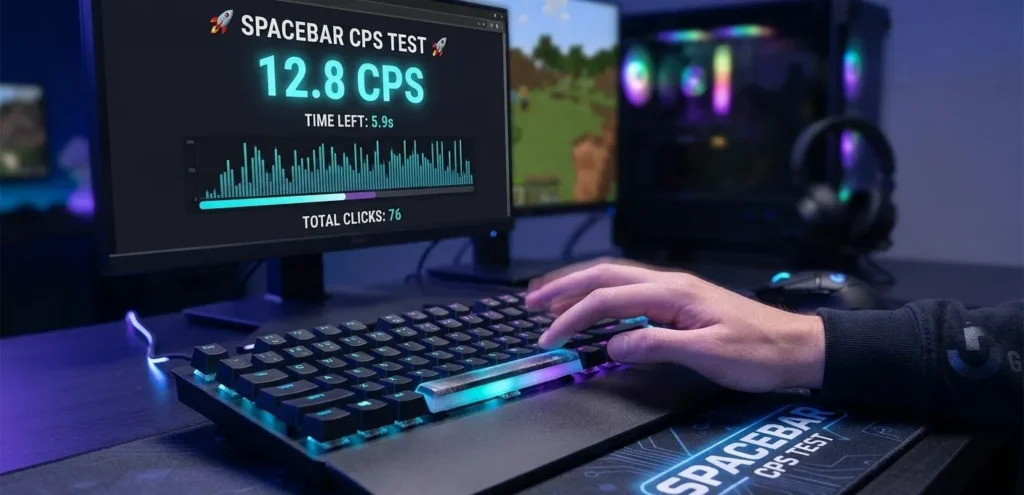
How to Take a Spacebar CPS Test
Using a spacebar speed test is usually straightforward.
- Open the spacebar test.
- Select a test duration if multiple options are available.
- Place your cursor in the test area if required.
- Press the Spacebar repeatedly.
- Continue until the timer ends.
- Check your total presses and calculated score.
- Repeat the test to compare your results.
For the most useful comparison, use the same keyboard and test duration for each attempt.
Your result can change from one attempt to another because of fatigue, hand position, keyboard hardware, timing, and your pressing technique.
How Is Spacebar CPS Calculated?
A spacebar speed test can calculate the result using a simple formula:
Spacebar CPS = Total Spacebar Presses ÷ Test Duration in Seconds
For example, suppose you press the spacebar 30 times during a 10-second test.
30 ÷ 10 = 3 CPS
If you register 55 presses in 10 seconds:
55 ÷ 10 = 5.5 CPS
The exact scoring method can differ between websites. Some CPS tools may report total presses, presses per second, or another speed measurement.
What Is a Good Spacebar CPS?
There is no universally accepted score that defines a “good” spacebar CPS.
Spacebar performance depends on several factors, including:
- Keyboard type
- Key switch design
- Key travel
- Actuation force
- Pressing technique
- Test duration
- Hand position
- Fatigue
- Browser and device performance
A short test may produce a higher result because it measures a brief burst of speed. A longer test is more useful for measuring consistency and endurance.
Instead of worrying about a universal benchmark, use your own previous scores as a baseline.
For example, if you normally achieve 3.5 presses per second and later reach 4.2 under the same conditions, that indicates an improvement in your own performance.
Spacebar Speed Test vs CPS Test
A traditional CPS test usually measures mouse clicks.
A spacebar CPS test measures keyboard spacebar presses.
The concepts are similar because both measure repeated input over time, but the hardware is different.
| Test | Input Device | What It Measures |
|---|---|---|
| CPS Test | Mouse | Mouse clicks per second |
| Spacebar CPS Test | Keyboard | Spacebar presses per second |
| Keyboard Test | Keyboard | Multiple key inputs |
| Click Speed Test | Mouse | Clicking speed |
This distinction matters because a person can have a high mouse CPS but a relatively low spacebar pressing speed.
Why Test Your Spacebar?
A spacebar test can be useful for several reasons.
Check Keyboard Performance
Repeated pressing can help identify whether your spacebar is registering inputs consistently.
Measure Pressing Speed
If you are curious about how quickly you can repeatedly press a keyboard key, the test provides a simple measurement.
Detect Input Problems
If some presses are consistently missed, the result may indicate a keyboard, switch, connection, or software problem.
However, a low score alone does not prove that your keyboard is defective. Human timing and technique also affect results.
Compare Keyboards
If you have multiple keyboards, you can perform the same test on each one and compare results.
For a fair comparison, keep the test duration and pressing technique consistent.
What Affects Spacebar Speed?
Your spacebar test score is influenced by more than just how quickly you move your finger.
Keyboard Switches
Mechanical, membrane, scissor-switch, and other keyboard designs can have different actuation characteristics.
Key Travel
A key that requires more physical movement may feel different from a short-travel keyboard.
Actuation Force
The force needed to activate the key can influence how quickly and comfortably you can press it repeatedly.
Stabilizers
Large keys such as the spacebar commonly use stabilizers. Their design and condition can affect how the key feels.
Hand Position
Your finger position can affect both speed and consistency.
Test Duration
A one-second burst and a sixty-second test measure different aspects of performance.
How Can You Improve Your Spacebar Speed?
If you want to improve your spacebar test result, focus on repeatability rather than simply forcing yourself to press faster.
Practice With Short Sessions
Perform several short tests instead of repeatedly testing until your hand becomes tired.
Maintain a Comfortable Position
Keep your wrist and fingers in a natural position.
Use Consistent Technique
Changing your hand position between tests makes it harder to compare results.
Test Multiple Durations
Try short and longer tests to determine whether your speed decreases significantly during extended sessions.
Track Your Results
Keep a record of your results and compare them over time.
Do not continue if repeated pressing causes pain or discomfort.
Spacebar CPS Test for Gaming
The spacebar is one of the most frequently used keys in many computer games.
In games where jumping, crouching, or another action is assigned to the spacebar, players may be interested in keyboard response and repeated key registration.
However, spacebar CPS should not be treated as a direct measurement of gaming skill.
A game may have its own input handling, key-repeat behavior, movement mechanics, cooldowns, or restrictions. A faster spacebar test result therefore does not necessarily translate into better gameplay.
Can You Take a Spacebar CPS Test on Mobile?
A traditional spacebar test is primarily intended for a physical keyboard.
Mobile devices use virtual keyboards and touchscreen input, which behave differently from physical keyboard switches.
For that reason, mobile results should not be directly compared with results obtained from a mechanical or membrane keyboard.
If your goal is to test a physical spacebar, use a desktop or laptop keyboard.
Spacebar Not Registering Every Press?
If your spacebar test produces unexpectedly low or inconsistent results, check the following:
- Make sure the keyboard is properly connected.
- Test another USB port if applicable.
- Try another browser.
- Disable browser extensions that may interfere with keyboard input.
- Test the keyboard in another application.
- Check whether the spacebar feels physically stuck.
- Clean the key if appropriate for your keyboard.
- Test another keyboard for comparison.
If another keyboard works normally on the same computer, the original keyboard may require further inspection.
Test Your Spacebar Pressing Speed Now
A Spacebar CPS test is a simple way to measure repeated spacebar input, check keyboard responsiveness, and compare your pressing speed.
There is no need to focus exclusively on achieving the highest number. A consistent result under the same conditions is much more useful when you are tracking performance or comparing keyboards.
If your goal is to test your keyboard, practice repeated key presses, or simply find out how quickly you can hit the spacebar, a spacebar speed test provides an easy starting point.
Frequently Asked Questions
How is Spacebar CPS calculated?
The basic calculation is total spacebar presses divided by the number of seconds in the test.
What is a good Spacebar CPS?
There is no official universal benchmark. Your keyboard, technique, test duration, and hardware can all affect the result.
Is a Spacebar CPS test the same as a mouse CPS test?
No. A mouse CPS test counts mouse clicks, while a spacebar test measures keyboard spacebar presses.
Why is my spacebar test score inconsistent?
Differences in hand position, fatigue, timing, keyboard hardware, and pressing technique can all affect the result.
Can a spacebar test detect a bad keyboard?
It can help identify inconsistent input, but a low score by itself does not prove that the keyboard is faulty. Test the keyboard in other applications or compare it with another keyboard.
Can I test my spacebar on a phone?
A physical spacebar test requires a physical keyboard. A mobile touchscreen does not provide the same type of keyboard input.